

What Tasks are
Tasks keep your AI teammate working after you close the tab. Two kinds share one board:- Schedules run on their own — a weekly site review, an hourly inbox check. They repeat.
- Cards are single pieces of work. Your AI teammate files them when they find something worth doing; you decide what actually happens.
Your AI teammate proposes. You decide. A schedule can file as many cards as it likes, and none of them
run until you move one. That boundary is the whole design — see Autonomy below.
Availability
Tasks are available on every plan, with no limit on how many you keep. Credits and rate limits govern the work they run.The board
Five columns, and work moves left to right:
Drag a card to move it. Above the board, a Schedules strip lists the recurring runs — they have
no column because they never finish.
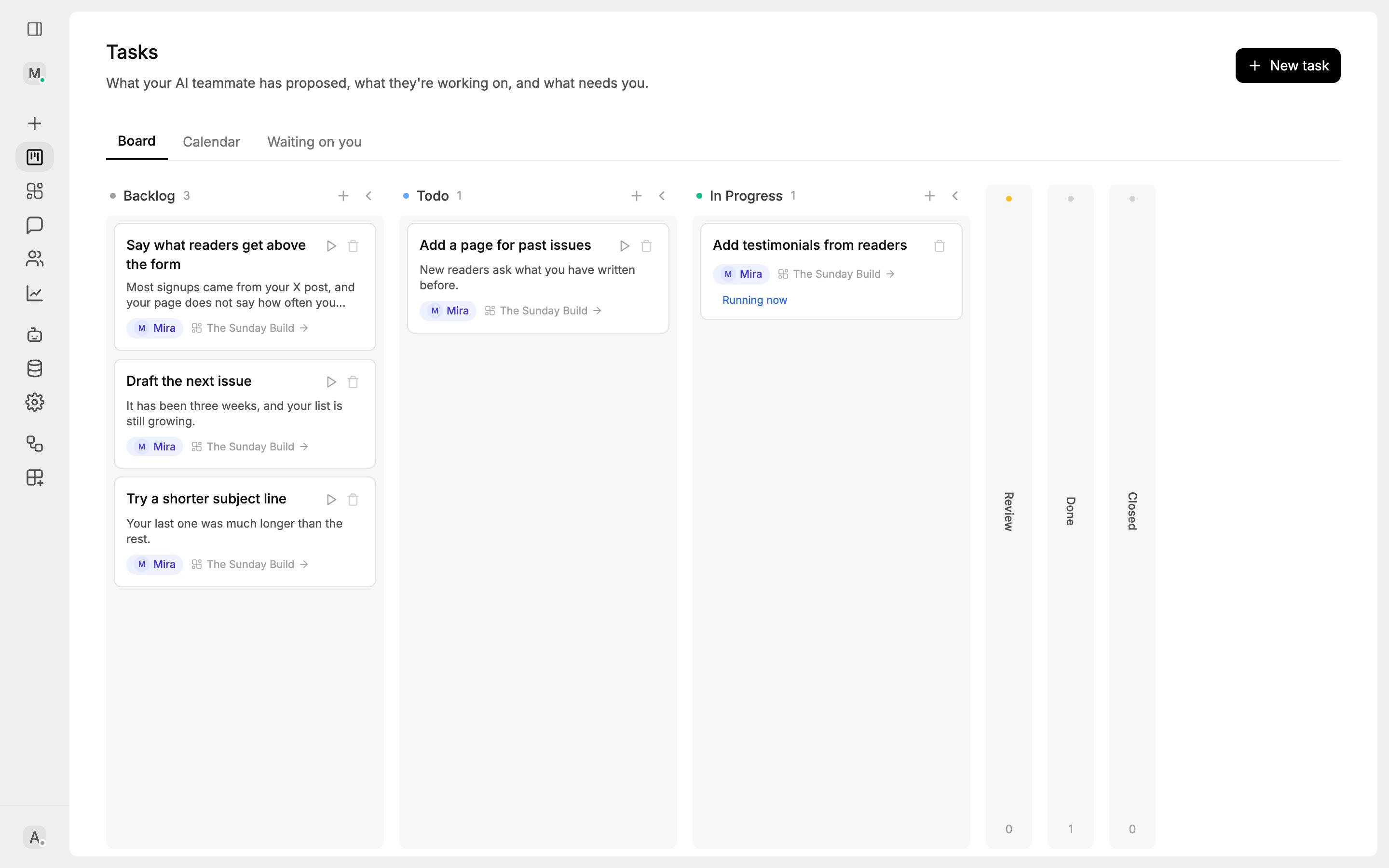
The board: what Mira proposed, what is planned, and what she is working on.
Autonomy
How much your AI teammate may do without you, set per Site and overridable per task:
Publishing is always yours. No autonomy rung lets an AI teammate put changes live.
Site reviews
Every Site gets one review schedule. It reads your pages, screenshots them, checks what visitors have been asking, and files what is worth improving — with its reasons. It changes nothing on its own. The visitor half is the part only your AI teammate can do. Anyone can tell you a page needs a clearer call to action; only your AI teammate knows that six people asked what something costs and there is no pricing page. Choose how often in your Site’s Settings → Automation: every hour, every 3, 6 or 12 hours, every day, every week, or not at all. You also choose this when you create a Site. Reviews run on your credits, so a frequent one is a spending choice.Creating your own
Ask in the builder conversation — “check my inbox every morning at 9” — or use the schedule control in the composer. Recurring tasks appear in the Schedules strip; one-off ones land on the board.Configuration
Plan limits
Every plan includes unlimited Tasks. Task runs use credits and rate limits like any other AI work, and an attachment costs what the tokens it adds to the request cost.Runs and history
Below the board:- Run history — every run with status, duration and tokens used
- Activity chart — execution volume over time
- Stats — success rate, total executions, active schedules
Safety
- Circuit breaker — five consecutive failures (configurable) pauses a task rather than letting it fail forever
- Plan and credit gate — Tasks stop when the plan is inactive or the account cannot fund a run
- State guard — a card only runs while it is In Progress, so a Backlog card cannot fire
- Publishing — never automatic, at any autonomy rung
Best practices
- Let Site reviews fill your Backlog before creating tasks by hand
- Read your AI teammate’s reason on a card before promoting it; that is what the reason is for
- Start at Suggest, move a Site to Autopilot once you trust what it files
- Check Review first — it is the only column that needs you
Next steps
Integrations
Connect tools for your AI teammate to use
Site Builder
Where Site reviews do their work